Project scheduling that feels like part of Google Workspace.
gantterAI™ lives where your team already works: Drive, Calendar, comments and sharing all work the way you expect, with Brena® and a full Gantt chart built in.
7-day free trial. No credit card required. Works with any Google account.
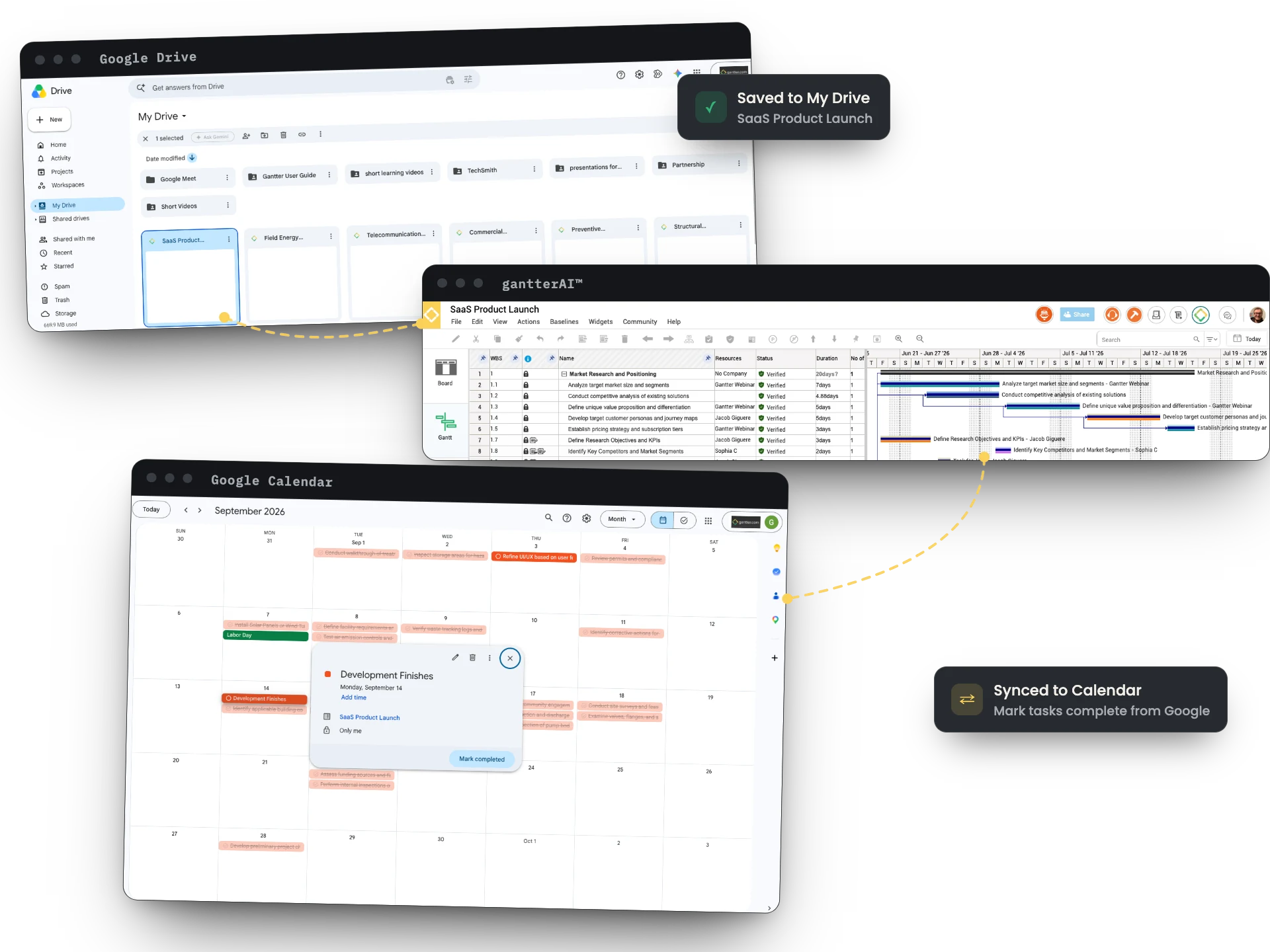
Feels like the Google apps you use every day.
gantterAI™ is built to be as intuitive as Google Workspace, so you can jump right in with no learning curve. Co-innovated with Google, it works the way Docs and Sheets do.
Create, save and share projects from Drive.
Create and organize scheduling files right in Google Drive or a shared drive, and share them the same way you share any Google file.
Your tasks, on your calendar, both ways.
Tasks assigned to you show up in Google Calendar in real time. Update them or mark them complete from your calendar, and the schedule updates too.
Edit the same schedule, together.
Real-time, multi-party editing keeps every schedule current, with everyone working in the same file at the same time.
Comment on tasks like you comment in Docs.
Add comments right on your tasks. Notifications go out to your team automatically, and the Drive activity stream keeps the full comment history.
Link tasks to the files behind them.
Attach a Google Drive file, a Doc or a PDF to any task, so the spec, drawing or contract is one click away inside the project.
Up and running in a couple of minutes.
Already on Google Workspace? Install from the Marketplace or connect it in Drive. Not on Google? Sign up with any email and use the cloud version.
Install from the Marketplace
Search for gantterAI™ in the Google Workspace Marketplace, or in Drive go to New › More › Connect more apps.
Start a project
Ask Brena® to build a plan, pick a community template, or import an MS Project or Primavera P6 file.
Share it like any Google file
Invite your team from Drive. Anyone you share with can view the project; editors need a license.
Same product, two ways to sign in.
Your files follow your account, so they're available wherever you log in.
gantterAI™ for Google
Sign in through Google Workspace. Projects are saved to Google Drive or a shared drive, with the Calendar, Drive and comments integrations on this page.
gantterAI™ cloud
Sign in on our website with any email. Projects are stored in the secure, Google-powered gantterAI™ Cloud File Store.
Google integration questions
How do I install gantterAI™ with Google?
Go to the Google Workspace Marketplace and search for gantterAI™. Or, in Google Drive, choose New › More › Connect more apps and search for gantterAI™.
How do I sync tasks to Google Calendar?
Make sure each resource in your project has an email address and is assigned to tasks. Then, in the Project menu, check "Sync to Google Tasks" and turn on the Tasks view in Google Calendar.
Can several people edit a project at the same time?
Yes. Real-time editing works in both the Google and cloud versions, so multiple collaborators can edit the same file at once.
Can I attach Google Docs or PDFs to tasks?
Yes. Double-click a task to open Task Properties, then use the Links tab to link a Google Doc, a Drive file or a PDF.
Will my files be available if I log in from the cloud version?
Yes. As long as you sign in with the same account, your files are available from both the Google and cloud logins.
Bring your projects into Google Workspace.
Start a free trial with your Google account, or talk to an expert about rolling it out to your team.
7-day free trial. No credit card required.
Start your free trial
7 days, every feature, Brena® included. No credit card required.
Continue with your Google account Continue with another account