Plan, adapt and deliver with AI-powered scheduling.
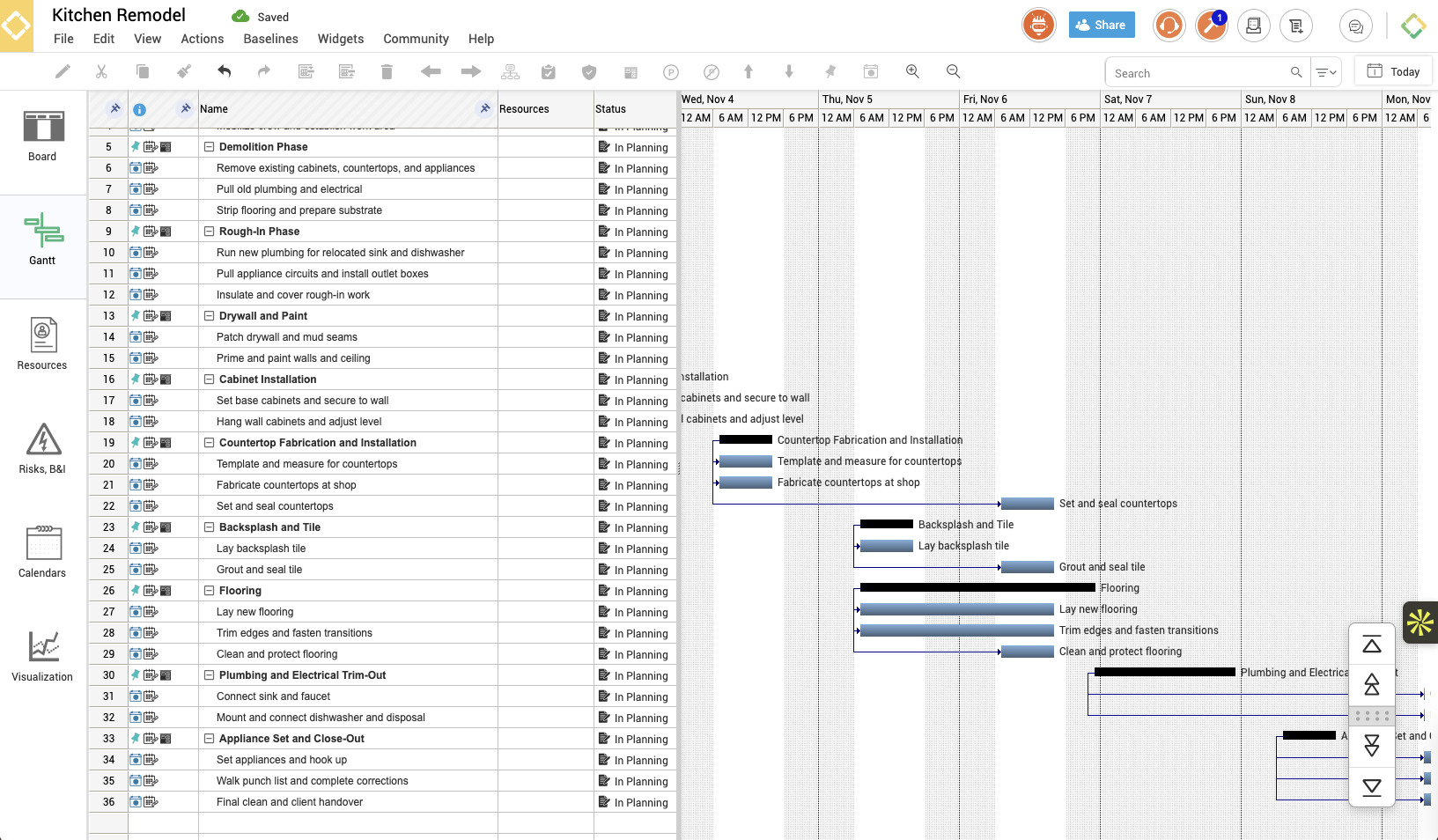
A full Gantt chart, collaborative plan boards and Brena®, kept in sync in real time, so the plan your team sees is always the current one.
7-day free trial. No credit card required. Brena is included.
Describe the project. Brena builds the schedule.
Brena® analyzes your project's scope and generates the schedule for you: phases, tasks and dependencies. Then she helps you adjust timelines and allocate resources as things change.
Meet Brena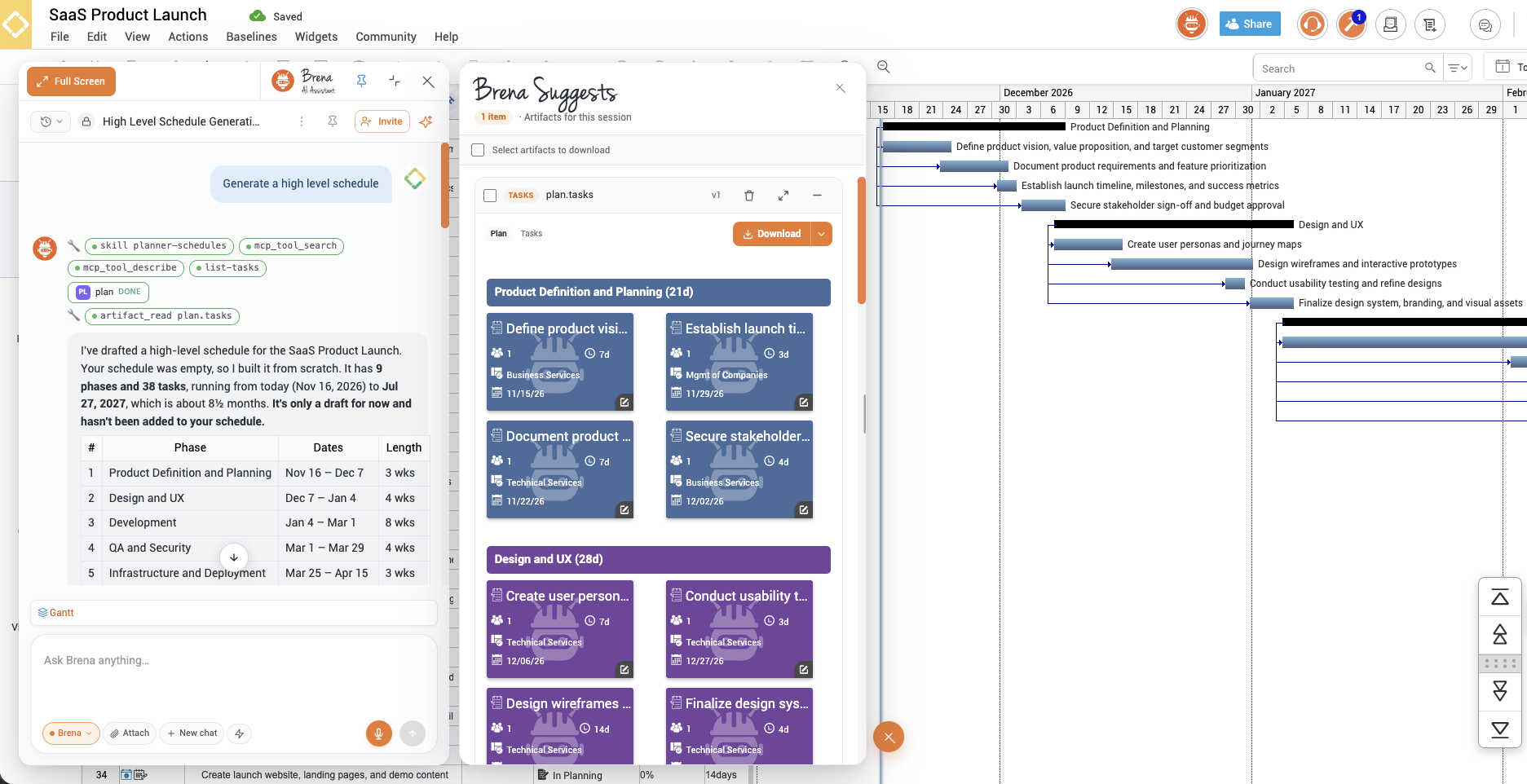
Collaborative plan boards that drive the schedule.
Plan and assign work on shared digital boards. Tags drag straight onto your project timeline, like sticky notes that keep your Gantt chart in sync.
Every task, across every project, in one view.
See what's due today, what's overdue and what's coming up across all your projects, and verify finished work without opening each schedule.
Email updates that keep everyone in the loop.
People get timely emails about assigned tasks, verified completions, deadlines and more, so nobody has to chase status.
Resource management with auto leveling.
Make sure the people, equipment and materials are there when the work is. Spot over-allocation, re-assign it, and keep total costs in view.
Baselines that show what changed, and when.
Save and compare schedule baselines to track progress against the plan, manage change, and finish on time and within budget.
Risk management, right on the schedule.
Define and assign risks to tasks on your schedule and boards, with response, cause, probability and priority tracked alongside the work.
The depth serious schedules need.
MS Project & Primavera P6
Open and save MS Project and Oracle Primavera P6 files, with tasks, dates and dependencies intact.
Cost tracking
Track labor and material costs, and compare actuals to estimates as the work happens.
Custom columns
Add the fields your team tracks, right in the task grid.
Real-time collaboration
Multiple people edit the same schedule at once, in the Google or cloud version.
Project calendars
Set working and non-working days, and start a project on any date, including past ones.
23 languages
Every user can work in their own language, from the same shared project.
Scheduling questions
Can I import my MS Project or Primavera P6 schedules?
Yes. Open MS Project or Primavera P6 files in gantterAI™, keep working, and save back to those formats anytime.
Can multiple people edit a schedule at the same time?
Yes. Real-time, multi-party editing works in both the Google and cloud versions of gantterAI™.
Can a project start before today?
Yes. Open Project Settings (press F8, or File › Settings) and set the start date to any date, including past dates.
What's the fastest way to get started?
Ask Brena® to build a plan from a description, or search the community template library for a plan that matches your project, at no extra cost.
See your next schedule come together.
Try every scheduling feature free for 7 days, or walk through it with an expert first.
7-day free trial. No credit card required.